
Skip to content

Email delivery analytics

Know where every email stands.

Track email volume, current delivery states, recipient-level message history, and provider-reported results in RouteKite.
Delivery analyticsDelivery results in context
Workspace overview
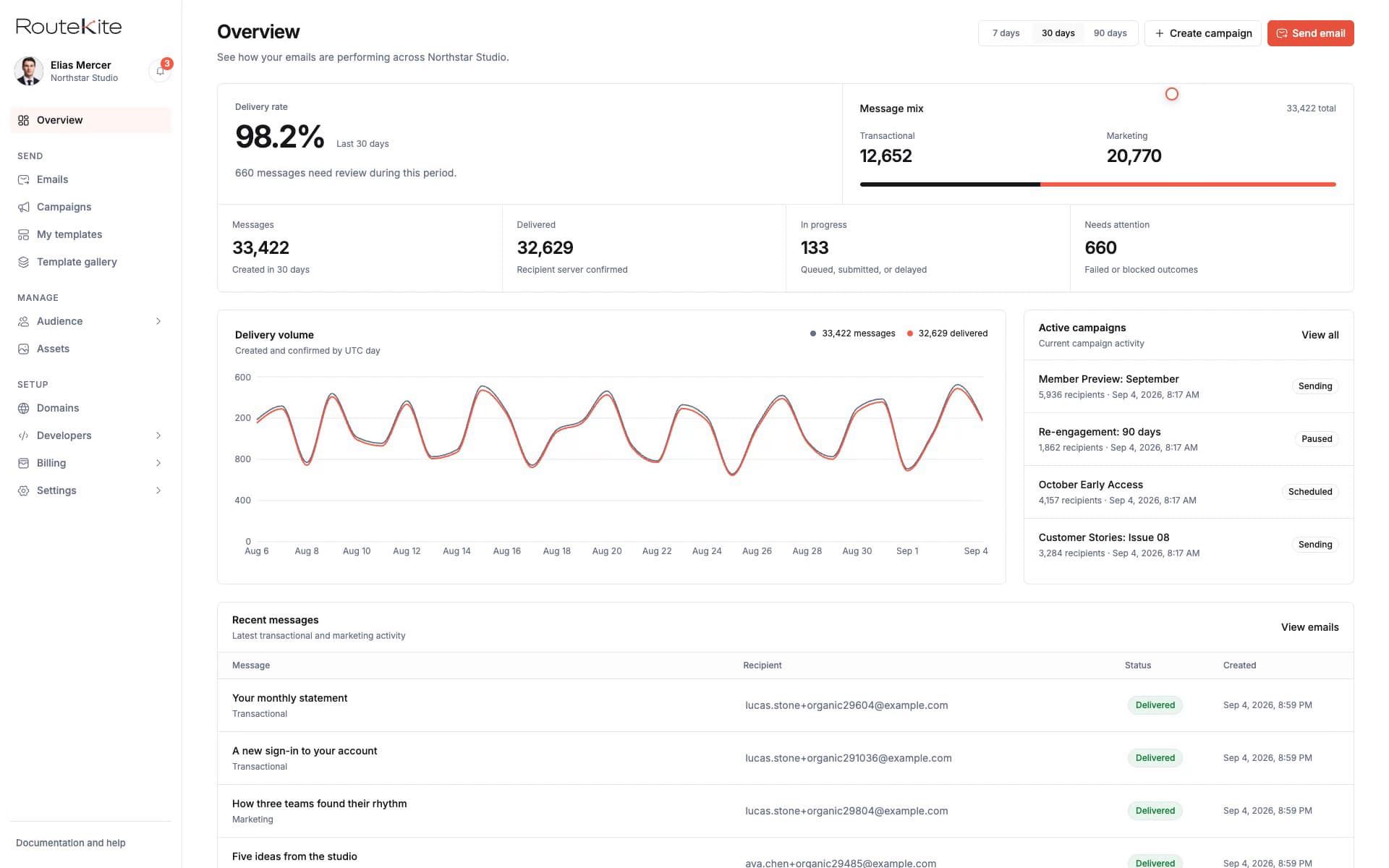
RouteKite Overview showing email volume, delivery rate, message states, active campaigns, and recent messages
Inside RouteKite

Start with workspace delivery performance, then open the campaign or recipient message that needs attention.

VolumeSee sending activity over time
Current stateRead the latest result for each recipient
HistoryFollow the recorded delivery events

Move from the account view to one message.

RouteKite keeps the overview and the underlying recipient record connected. See account-level volume and delivery performance, open an active campaign, then inspect the message history for the exact recipient you are investigating.

Workspace overview

See message volume, delivery rate, state totals, active campaigns, and recent messages.

Campaign delivery

See campaign progress and open the individual recipient messages behind the totals.

Recipient message

Read the current state, timestamps, delivery history, stored content, and delivery record.

Delivery states stay clear.

RouteKite separates an internal queue, provider handoff, and the latest provider-reported result. Submitted means the provider accepted the handoff for processing. It is not the same as Delivered.

Before provider submission

Suppressed
RouteKite stopped the message before it was submitted.
Queued
The message is recorded and ready for submission.

Provider handoff

Submitted
The receiving provider accepted the message for processing.

Latest recorded result

Delivered
The recipient server accepted the message.
Delayed
The provider reported a temporary delay.
Bounced
The recipient server rejected the message.
Failed
Submission or delivery could not complete.

Message history

Keep the useful evidence together.

Recipient and sender
See the recipient and Sending Address attached to the message record.
Current delivery state
Read the latest state with the time RouteKite recorded it.
Delivery history
Review the chronological events that produced the current state.
Stored message
Open the message preview, plain text, stored HTML, and available delivery evidence.

Track delivery

See the result behind every send.

Create a workspace to send and inspect messages, or read the delivery guide for the exact state definitions.