
Include Base64 content in the send request.
Best when the file is already in memory and no separate upload step is useful.
Up to 5 MB per direct fileTransactional email API
Submit product email through one clear API, retry uncertain requests safely, and follow each message from acceptance to its final delivery outcome.
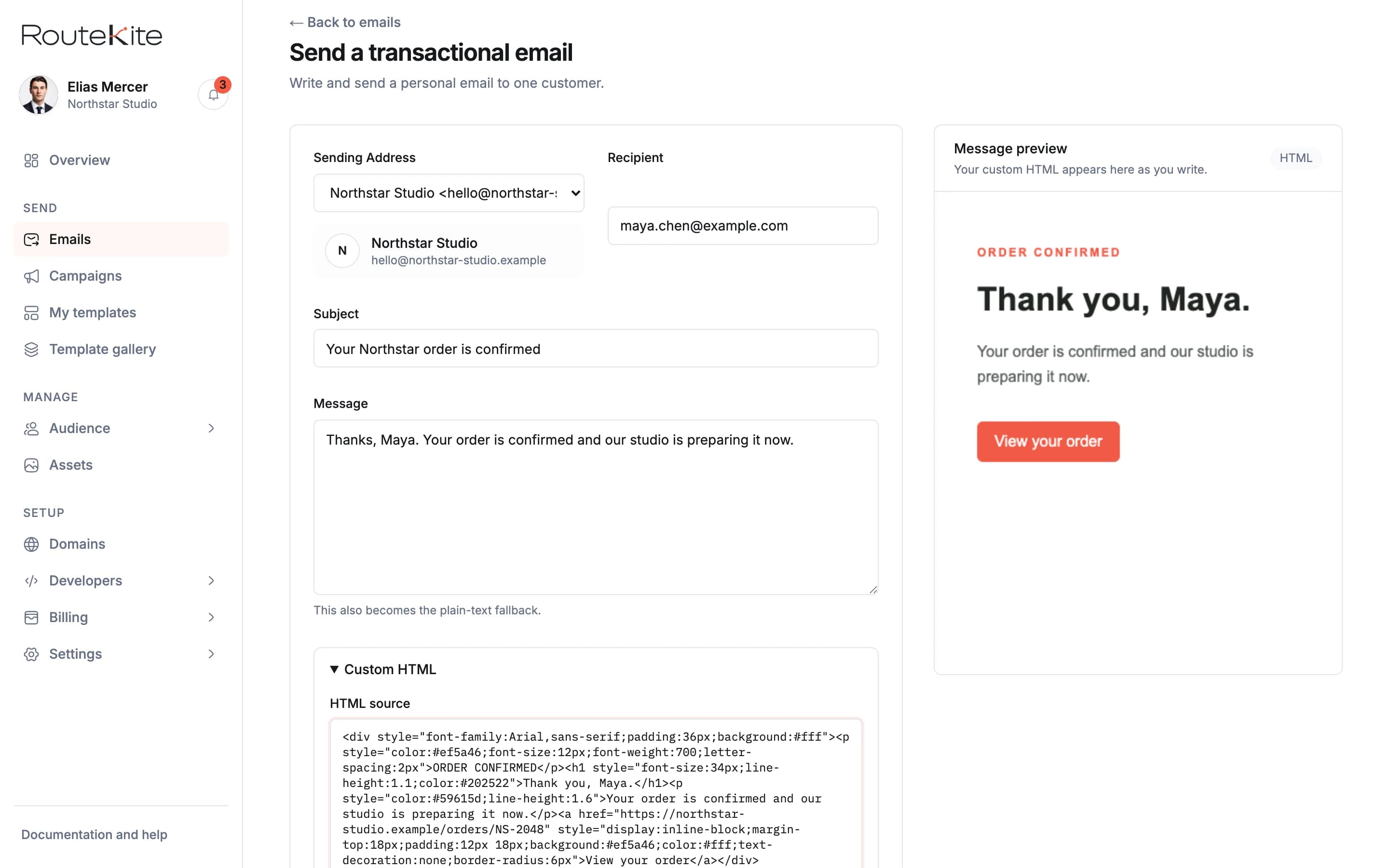
Write the message, add custom HTML, and review the recipient-facing result beside the form.
One request
Authenticate with a workspace API key, provide a verified Sending Address, choose the recipient, and send HTML, plain text, or a published transactional template.
The response returns a RouteKite message ID immediately. Use that ID to retrieve the current state and the complete delivery history.
Open the complete API referenceconst response = await fetch("https://routekite.com/api/v1/emails",{method: "POST",headers: {Authorization: "Bearer " + process.env.ROUTEKITE_API_KEY,"Content-Type": "application/json","Idempotency-Key": crypto.randomUUID(),},body: JSON.stringify({from: "orders@yourdomain.com",to: "alex@example.com",subject: "Your order is confirmed",preview_text: "Order RK-2048 is now being prepared.",html: "<h1>Thanks, Alex.</h1><p>We have your order.</p>",}),},);const message = await response.json();
{"id": "7dd5da7f-40b0-4c29-bb78-7e0d95ef9eb7","status": "queued","created_at": "2026-09-04T14:32:18.000Z"}
A successful API response means RouteKite recorded the message. Delivery history shows what happened next, including delays, bounces, complaints, rejections, and configuration failures.
RouteKite accepted the request and recorded the message.
The message was handed to the delivery network.
The recipient system confirmed delivery.
RouteKite separates configuration problems from recipient or delivery failures and keeps the technical event details available when your team needs them.

Use the message ID returned by the API to connect each request with its visible delivery outcome.
Safe retries
Send an idempotency key with each logical request. If your application loses the response, retry with the same key and the same content. RouteKite returns the original message instead of submitting another one.
If the content changes under the same key, RouteKite rejects the request so the mismatch cannot go unnoticed.
Understand idempotencyFirst request
The quickstart keeps the setup path short. The API reference carries the complete contract.